Time Management Tools That Finally Work for Your ADHD Brain
Timers make you anxious. Planners feel fake. Here are ADHD time management tools that work WITH your brain, not against it.


ADHD Time Management Tools That Actually Work (Not Another Planner)
Listen to this post
Hit play and do your thing. Ara reads it to you.
I bought 14 planners last year.
Used exactly zero of them past January 3rd. The pretty ones with the motivational quotes? Still shrink wrapped. The "productivity system" that promised to change my life? Still sitting on my desk, judging me silently while I scroll through my phone wondering where the last four hours went.
Here's what nobody tells you about ADHD time management tools. Most of them were designed by people whose brains actually experience time as a linear concept. For those of us with ADHD time blindness, that's like asking a fish to use a bicycle. Technically possible, I guess. But why are we even trying this?
So let's talk about tools that actually work. The ones that create structure without making you feel like you're constantly failing at being a functional human.

The Problem With "Normal" Time Management
Every productivity guru will tell you the same thing. Break tasks into smaller chunks. Use a planner. Set reminders. Track your time.
Cool. But when your brain doesn't register that three hours just passed, those strategies feel like trying to build IKEA furniture with instructions written in a language you don't speak. You KNOW there's supposed to be a system here, but none of it makes sense.
According to research from ADDitude Magazine, ADHD brains process time perception differently at a neurological level. It's not laziness or lack of discipline. Your brain literally experiences "now" and "not now" instead of past, present, and future.
Which means you need tools that work WITH that reality, not against it.
Visual Timers (The Only Timers That Don't Lie)
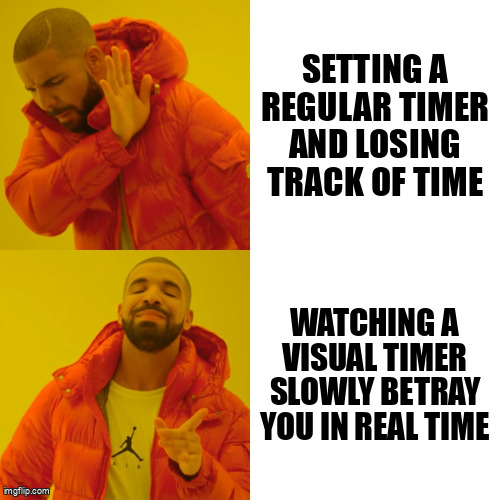
Regular timers are gaslighters.
You set one for 20 minutes, blink twice, and suddenly it's screaming at you. Where did the time go? No idea. Your brain registered exactly zero minutes passing. Just "working" and then "BEEEEEP."
Visual timers are different. They SHOW you time disappearing.
The Time Timer is the gold standard. You see a red disc that gets smaller as time passes. Your brain can actually track it. No surprises. No sudden panic when the alarm goes off because you can SEE it coming.
I keep one on my desk for everything. Writing sessions. Getting ready to leave. Even "you have 10 minutes to doom scroll before bed" time limits. (Yes, I set timers for procrastination. It's called harm reduction.)
The physical versions are better than apps, honestly. Something about seeing a physical object on your desk creates more urgency than a widget on your phone. But if you need the app version, there are decent ones. Just make sure it has the visual countdown, not just numbers.
Body Doubling Apps (Studying With Strangers Who Get It)
You know what's wild? I can't focus alone in my apartment for 20 minutes. But put me in a virtual room with other ADHD people also trying to work? Suddenly I'm laser focused for two hours.
Body doubling is when you work alongside someone else, even if you're doing completely different tasks. It creates external accountability without pressure. Your brain registers "oh, other people are working, guess we're doing this now."
Focusmate is the app everyone talks about, and yeah, it works. You book 25 or 50 minute sessions with a stranger. You both say what you're working on. Then you work in silence on video. No talking. Just.. existing in the same digital space.
Sounds weird. Is weird. Also works.
Flow Club does something similar but with groups and a facilitator. Study Stream on Discord is free and has 24/7 body doubling rooms. I've written entire blog posts in those rooms that would have taken me three days to start otherwise.
Sometimes I stream my own writing sessions on YouTube because knowing even one person might be watching makes my brain go "okay fine, we're working now."
The ADHD Nest Discord has body doubling channels too. Sometimes we just sit there together, cameras off, working on whatever. It's the closest thing to parallel play for adults. [https://join.adhdnest.org/]

Task Stackers (Not Todo Lists, Something Better)
Todo lists don't work for ADHD brains. We know this. We've tried. The list gets longer, we feel worse, nothing gets done, we make a NEW list thinking THIS one will be different.
Task stackers are different. They're tools that force you to pick ONE thing right now. Not eventually. Right now.
Goblin Tools has a Magic ToDo feature that breaks tasks down automatically AND lets you estimate how long each step takes. You write "clean kitchen" and it generates: clear counters (5 min), load dishwasher (10 min), wipe down surfaces (5 min). Suddenly the mountain becomes a series of small, doable hills.
Amazing Marvin lets you create "today" sessions where you drag exactly three tasks into focus mode. That's it. Three things. When those are done, you can add more. But you never see the full overwhelming list.
The key is these tools create what CHADD calls "structured flexibility." You have a system, but it adapts to your brain instead of demanding your brain adapt to it.
Urgency Creators (Making Fake Deadlines Feel Real)
The only time I'm productive is when something is DUE. Not "should be done." Not "would be nice to finish." DUE. Urgent. On fire.
The problem? Most of life doesn't come with built in urgency. So you need tools that create real urgency artificially.
Beeminder is chaotic and perfect. You set a goal. If you don't meet it, it charges your credit card real money. Sounds extreme? It is. Does it work? Unfortunately yes.
I use it for writing deadlines. Every week I commit to publishing one post. If I don't, I lose $5. That $5 creates the urgency my brain needs to actually START writing instead of thinking about writing while doing literally anything else.
StickK does something similar. You can even add a "referee" who verifies you did the thing. Or donate to a charity you HATE if you fail. (I almost set mine to donate to a political party I can't stand. The horror was extremely motivating.)
Forest is gentler. You plant a virtual tree that grows while you focus. If you leave the app, the tree dies. Somehow the idea of killing a tiny pixel tree creates just enough guilt-urgency to keep me working.
According to Understood.org, ADHD brains often need external consequences to activate the prefrontal cortex. These tools provide that consequence without actual catastrophic life consequences.
The "External Brain" System (For When Your Brain Forgets Everything)
Your brain will forget. This is not a moral failing. This is neurology.
So you need an external brain. A place where everything lives that isn't your head.
Notion is my external brain. Everything goes there. Tasks, ideas, articles I want to read, things I need to remember to buy, random thoughts at 2am that feel important. It's all in there, searchable, organized by someone else's template because I cannot be trusted to build my own system.
Some people use Obsidian. Some use Apple Notes. Some use actual paper notebooks. The tool doesn't matter as much as the habit of IMMEDIATELY putting things there instead of thinking "oh I'll remember this."
Spoiler: you will not remember.
Voice memos are clutch for this. I have 847 voice memos on my phone. Most are me yelling reminders to myself while driving. "Buy cat food." "Email Sarah about the thing." "Google why do cats stare at walls."
The key is capturing everything IMMEDIATELY. Your brain can't hold information. That's fine. Let your phone hold it instead.
🎵 Lofi Cutie — Deep Focus Playlist · Updated regularly · Open in YouTube
Mix and Match (No Perfect System Exists)
Here's the truth nobody wants to hear. There is no perfect ADHD time management system.
You're going to try something, it'll work for three weeks, then suddenly stop working. Your brain will get bored. You'll need to switch it up. This is NORMAL.
I rotate through different tools every few months. Right now I'm using a visual timer, Focusmate twice a week, and Goblin Tools for task breakdowns. In two months? Who knows. I might be back to paper planners and spite-based deadlines.
The goal isn't finding the One Perfect Tool. It's building a toolkit of things that work SOMETIMES, so when one stops working you have backups.
The Bottom Line
ADHD time management isn't about forcing your brain to work like a neurotypical brain.
It's about finding tools that create structure, urgency, and visibility in ways your actual brain can process. Visual timers instead of invisible ones. Body doubling instead of solo grinding. External brains instead of trying to remember everything.
You're not broken. The tools you've been trying were just built for different brains.
We literally talk about this stuff every day in The ADHD Nest. Someone's always testing a new app or timer or system, and we just.. share what's working right now. No pressure. No judgment. Just "hey this thing helped me today." [https://join.adhdnest.org/]
Your Turn 🪴
What has helped YOU with ADHD time management tools? Drop it in the comments. Every answer helps someone.